Correspondence and suspenses routed to the offices that must respond and tracked to signature. Exercises and events planned with every participant’s readiness in view, and after action reports drawn from the record. The security office’s roster, briefings and reporting, kept as status and dates.
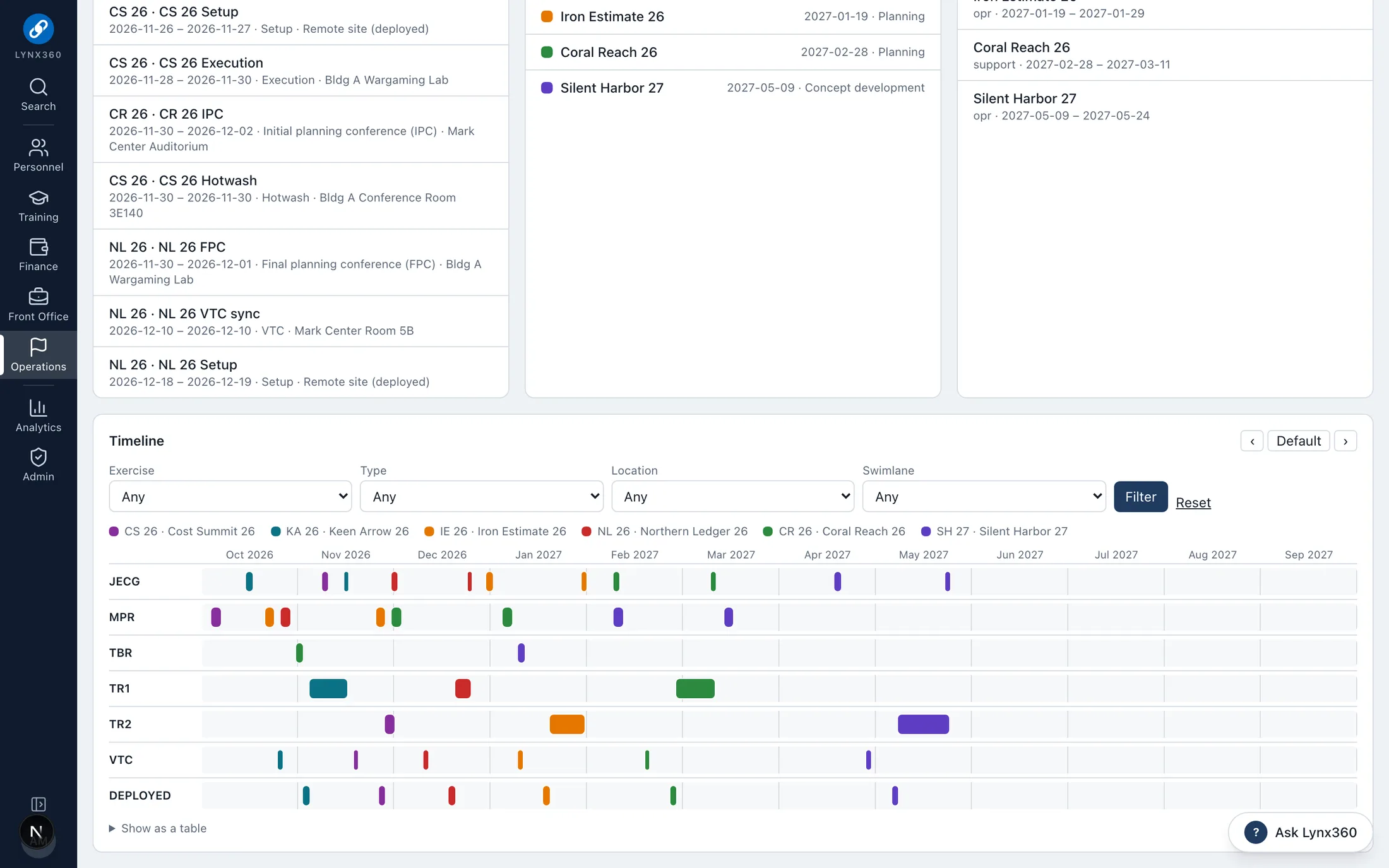
Exercise and event management: the year timeline by swimlane
Brings together
What MissionLynx replaces.
Exercise calendars in slides
Readiness checked by phone and email
Tasker spreadsheets and email chains
Clearance rosters kept by hand
Paper visitor and destruction logs
Who works in it
Every seat, its own view.
Front Office and executive assistants
Action officers
Exercise planners
Security Manager
Leadership
Each person sees the features their roles open, and only the records their scope allows.
What MissionLynx does
Taskings, exercises, readiness and the security office.
Exercise and event management
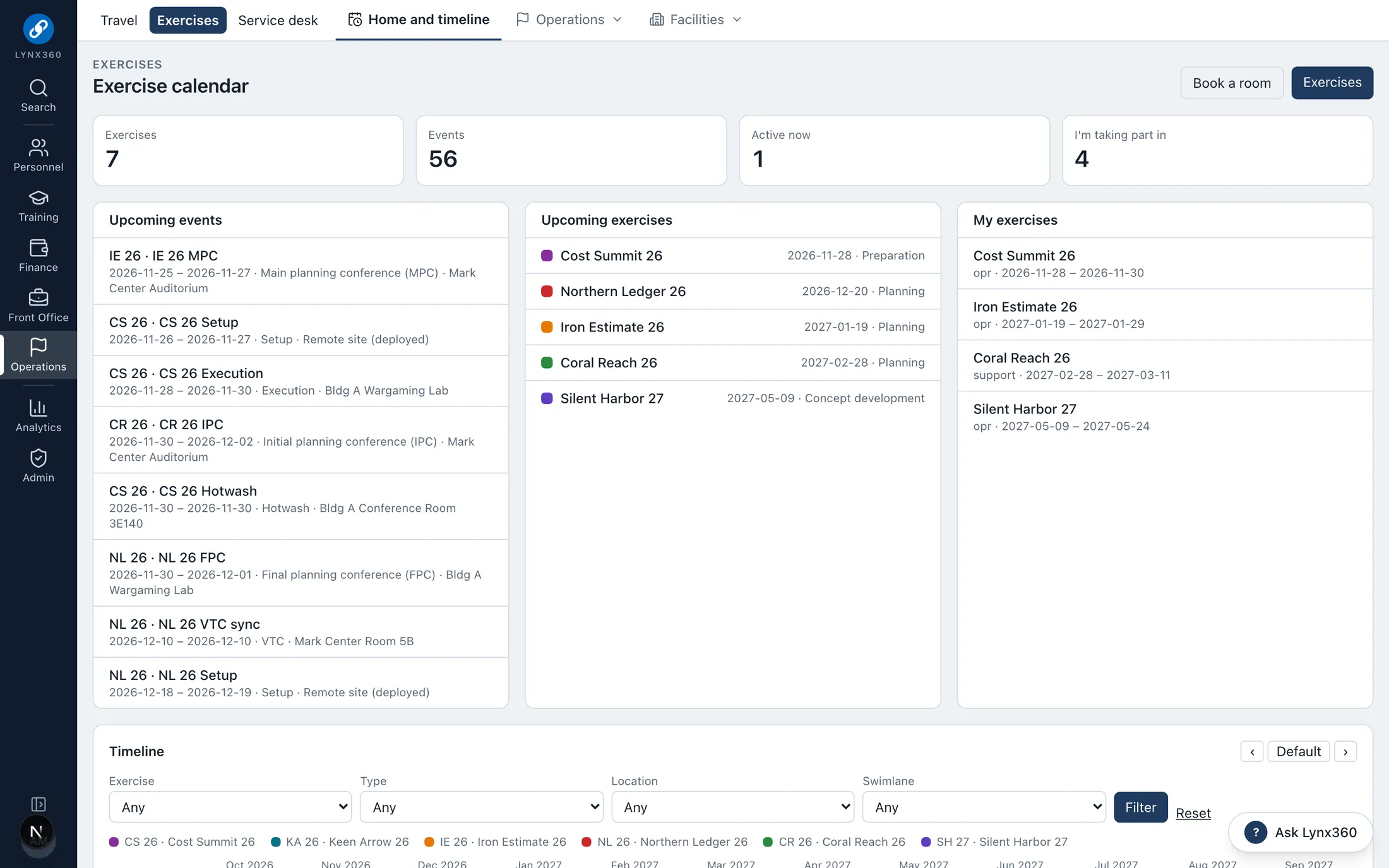
Plan, run and close out exercises and events in one place: each exercise with its planning phase, dates, classification, lead and the training every participant needs, and every event on a year timeline by swimlane, at a location.
A year timeline and calendar of upcoming exercises and events, and the ones each person takes part in
Participants with their readiness at a glance: clearance at the exercise’s level, required training current through its end, and travel requested
Locations (buildings, rooms and sites) with classification, capacity and VTC
Rooms booked after an availability check against other bookings and events, then approved by the facility manager
More
Travel requests, deployed equipment kits and room bookings tied to the exercise
Phases from planning through execution, assessment and completion
Deployed participants show up in the daily manning status automatically
Service desk tickets can be linked to the exercise they support
Correspondence and suspense tracking
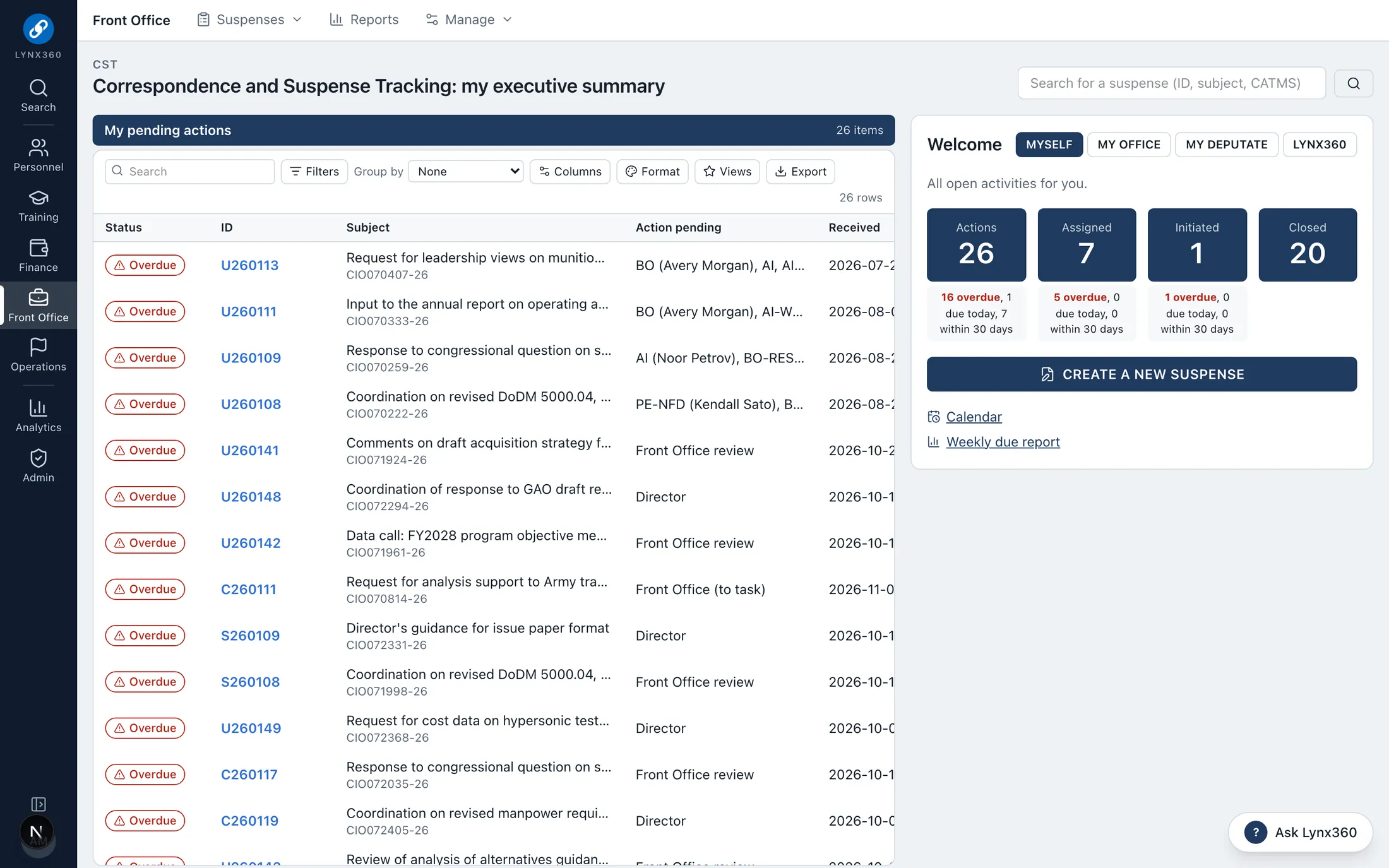
Taskers logged with their originator, due date and classification, tasked to a lead office and supporting offices, and tracked through concurrence, review and signature to closure.
Each office gets an internal due date two working days early, and is notified
Offices respond with a position: concur, concur with comment, nonconcur with the reason, or no equity
Front Office review can return a response; Director signature when needed
Experts suggested from subject matter topics and from people whose profiles show the skill
More
Executive summary by scope (me, my office, my directorate, the organization), a calendar, and on-time reports
Any suspense summarized with next steps by office
After action reports
The after action report draws its facts from the exercise record, then records sustains and improvements, each improvement with an office and a due date.
Facts from participants, travel, kits and bookings, not retyped
Improvements become tracked actions with owners
Finalizing it moves the exercise to assessment and completion
Security office
Each person sees their own clearance status, refresher and reporting. The Security Manager keeps the roster, briefings, SEAD 3 reports, incidents and visitors.
Status and dates only: eligibility, access, investigation and continuous vetting dates, SF 312; never investigation content
The annual refresher read and attested; SEAD 3 and incident reporting by each person
Incidents with a preliminary inquiry due in 10 working days, closed only with a finding and actions
Foreign travel review records the briefing and the SEAD 3 report
More
Incoming visit requests, security containers (combinations never stored) and the classified destruction log
DISS stays the system of record
See it
MissionLynx in Lynx360.
Real screens from the Lynx360 demonstration environment, with synthetic people and data.
Exercise and event management: the exercise calendarTaskings and suspenses: my executive summary
One data model
How MissionLynx works with the other modules.
The modules share people, offices, budgets and records, so work in one becomes controlled action in the others rather than re-keying.