Answers from your own data, for the people allowed to see it.
Expertise management that knows who knows what, discovery across people, publications and records, and decision support for leaders. An analytics studio anyone can use, saved and published reports, live feeds for Power BI and Excel, and a built-in Assistant that answers a question as a report you can refine. Every prompt is managed in Prompt Studio, and the compliance library and records schedules keep the organization’s evidence in order.
Each person sees only what they may see
AI that runs inside your environment
Changes to AI behavior approved by a second person
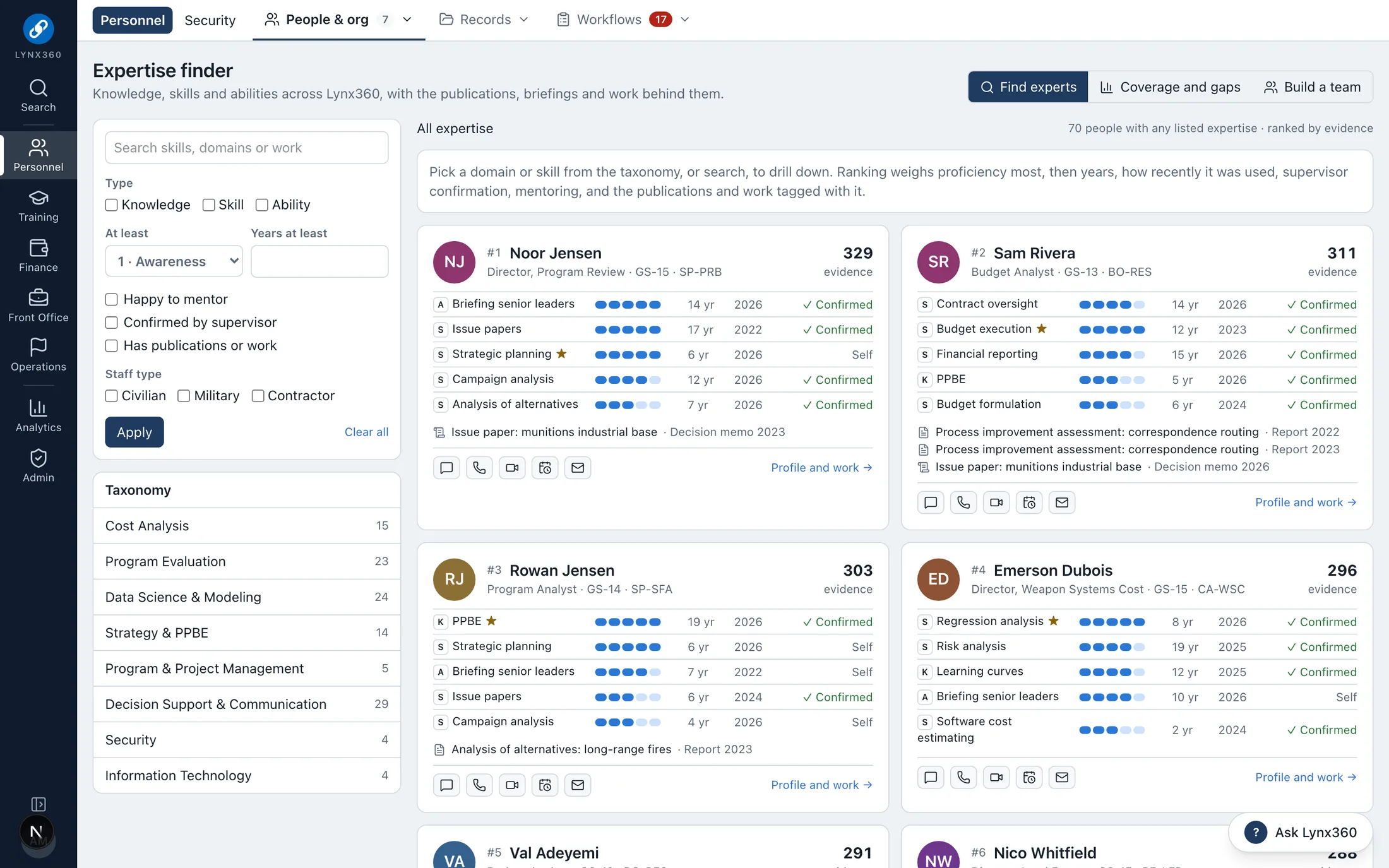
The expertise engine: who knows what, ranked by evidence
Brings together
What KnowledgeLynx replaces.
Asking around to find who knows something
Reports rebuilt by hand each month
Data pulled into Excel to answer one question
Compliance evidence on shared drives
Records schedules on paper
Who works in it
Every seat, its own view.
Leadership
Analysts in every office
Supervisors and team leads
Compliance and records officers
Administrators
Each person sees the features their roles open, and only the records their scope allows.
What KnowledgeLynx does
Expertise, knowledge discovery, decision support, analytics and built-in AI.
Expertise management
Each person’s knowledge, skills and abilities with proficiency 1–5, years and when last used, confirmed by their supervisor and backed by the publications, briefings, models and projects that show them.
The expertise finder drills from domain to skill to people, ranked on proficiency, years, recency, confirmation and evidence
Coverage by domain and directorate: experts, bench depth and single points of failure
Build the smallest team that covers a set of skills
Mentors and experts matched to the skills each person is learning
More
Certifications with an end date drop out of expertise search when they lapse
Knowledge discovery
One search, from anywhere with Ctrl K, across people and their skills, offices, workflow cases, training, announcements, publications and artifacts, each result checked against what the person may see.
Publications, decision memos, datasets and models tagged with the skills they show
Each profile shows people with similar skills and what they are glad to be asked about
Restricted fields are never searched
Decision support
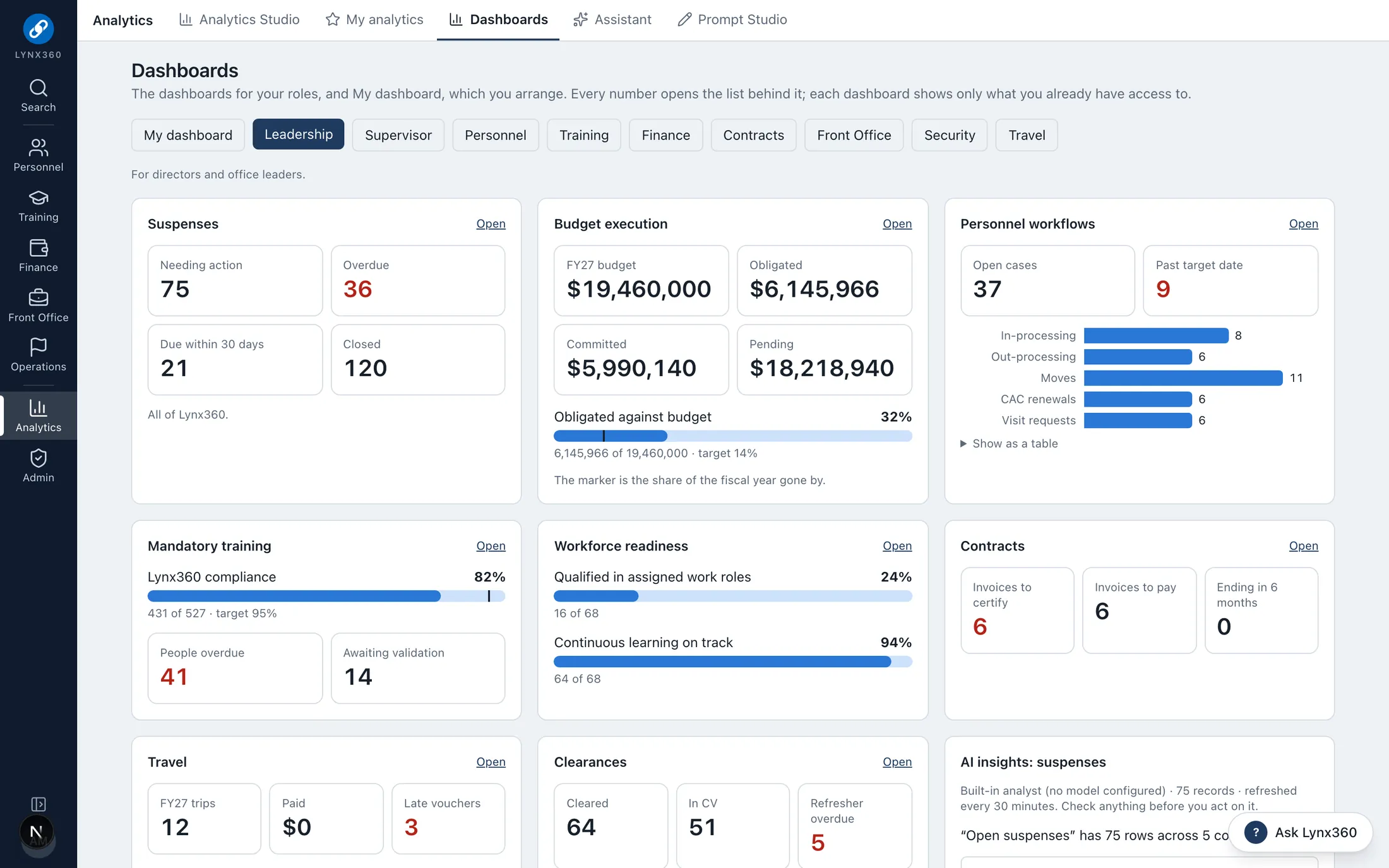
Leaders see what needs a decision before it is late: a daily Executive Brief, AI insights on every role dashboard, and a 12-month forecast of workforce gains and losses.
Everything that expires or falls due soon, in one place
Expertise gaps and single points of failure flagged before someone leaves
Insights are advisory: they say so and cite their record count
Analytics Studio
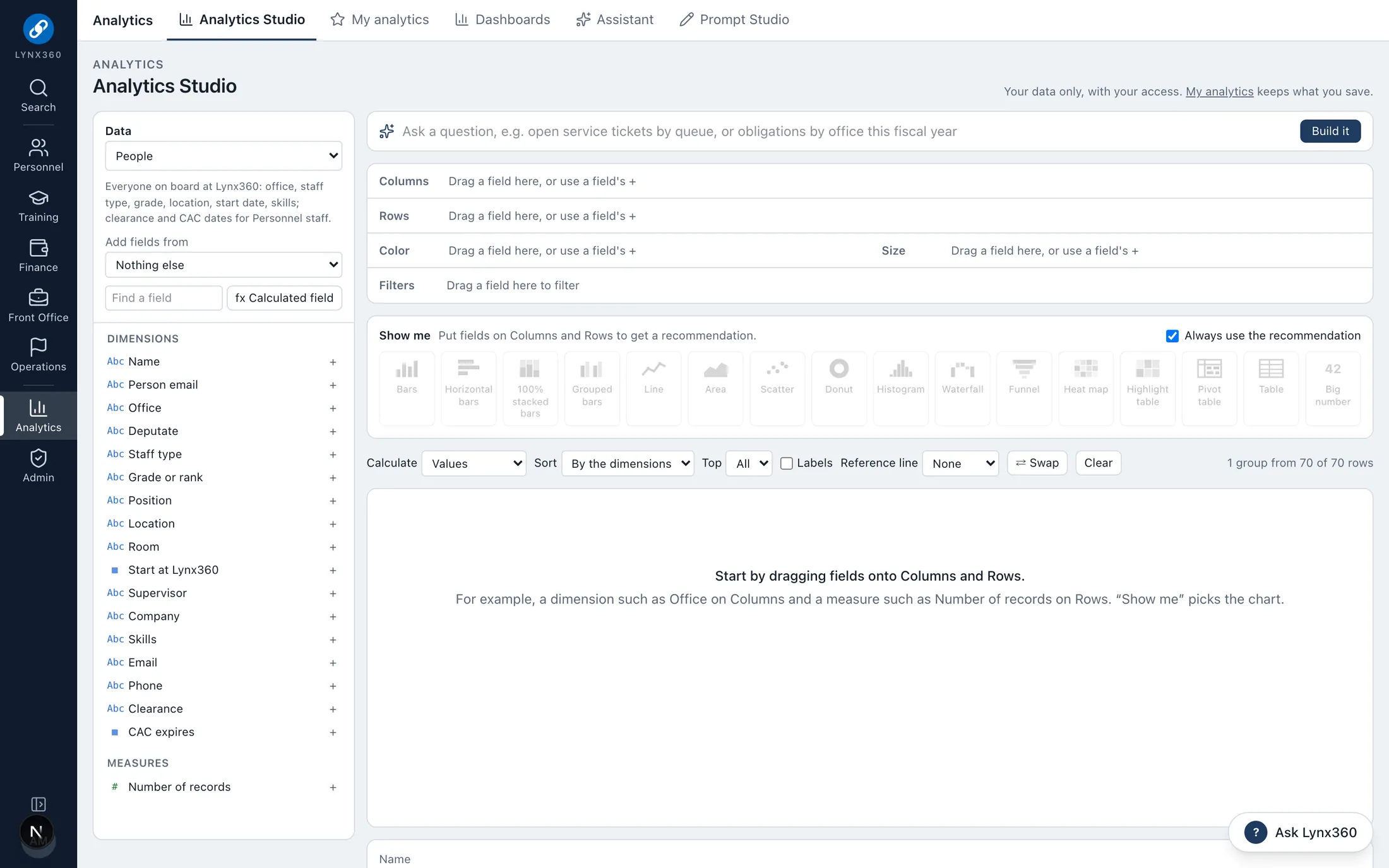
Drag fields onto columns, rows, color, size and filters and the view builds itself: bars, lines, scatter, heat maps, pivot tables and big numbers across 18 datasets.
Show me recommends a chart for the fields you chose, and says why
Calculated fields, % of total, running totals, Top N and fiscal-year dates
Add fields from a second dataset by a shared key: person, office or fiscal year
Dashboards with cross-filtering and slicers
More
Each dataset loads through its own module’s access rules; restricted fields are removed for people without access
Saved, published and scheduled reports
Save any table or answer to My analytics, live (re-run with the viewer’s own access) or as a dated snapshot, then publish it to offices, roles, employee types or named people.
Every table’s export menu offers Save to My analytics
Export to Word, Excel, PDF, CSV and JSON
OData feeds for Power BI, Tableau and Excel
More
Scheduled snapshots, folders and pinned reports
The Assistant and Executive Brief
Ask a question in plain language and get a report over the data you may see, ready to refine, chart, save and export. Leaders get a daily brief, and every role dashboard carries AI insights.
Answers only from data the person may already see
Insights are advisory: they say so and cite their record count
The model sits behind a provider interface inside your boundary; the approved model is a configuration choice
More
A classified record is never sent to a model
Prompt Studio
Every prompt the platform uses, managed like code: instructions, variables with sample values, a live preview, a quality checklist, versions compared line by line, and rated test runs.
System prompts change through a draft, a proposal and someone else’s approval
Go back to the built-in text at any time
Prompts shared with everyone, or kept private
Compliance library
Standards, regulations and clause sets as data, starting with NIST SP 800-53. Each requirement has a status, owner, plan of action, due date and evidence.
A new standard is loaded from a template, with no code
Evidence documents declare their marking; anything with a classified marking is refused and the Security Manager alerted
Contracts list the standards and clauses they carry and whether each is flowed down
Records retention
Each kind of record follows its General Records Schedule item. Nothing is disposed automatically: a records manager reviews what is eligible and approves it, and legal holds always win.
See it
KnowledgeLynx in Lynx360.
Real screens from the Lynx360 demonstration environment, with synthetic people and data.
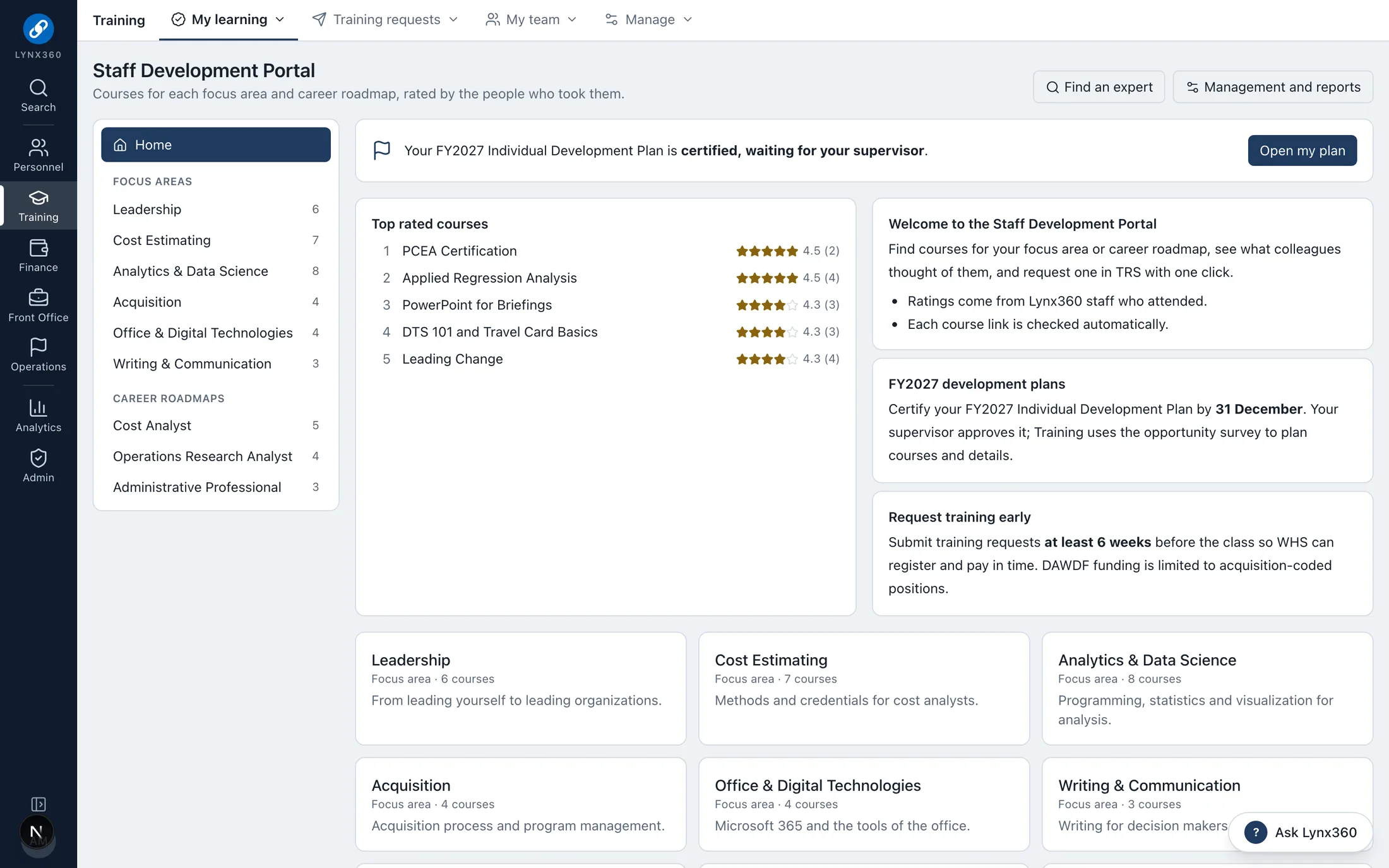
The training catalog: courses by focus area and career roadmap, rated by the people who took themRole dashboards with AI insightsAnalytics Studio: drag fields, get a chart
One data model
How KnowledgeLynx works with the other modules.
The modules share people, offices, budgets and records, so work in one becomes controlled action in the others rather than re-keying.